Skip to content
FIx Printer Error FIx Printer Error Fix Printer Error
  • Home
  • Printer Support
    • HP Printer Support
    • Canon Printer Support
    • Epson Printer Support
    • Brother Printer Support
    • Lexmark Printer Support
    • Samsung Printer Support
  • Service Location
  • Home
  • Printer Support
    • HP Printer Support
    • Canon Printer Support
    • Epson Printer Support
    • Brother Printer Support
    • Lexmark Printer Support
    • Samsung Printer Support
  • Service Location
Close

Search

Trending Now:
5 Essential Tools Every Blogger Should Use Music Trends That Will Dominate This Year ChatGPT prompts – AI content & image creation trend Ghibli trend – viral anime-style visual trend
+1888-510-8176
FIx Printer Error FIx Printer Error Fix Printer Error
  • Home
  • Printer Support
    • HP Printer Support
    • Canon Printer Support
    • Epson Printer Support
    • Brother Printer Support
    • Lexmark Printer Support
    • Samsung Printer Support
  • Service Location
  • Home
  • Printer Support
    • HP Printer Support
    • Canon Printer Support
    • Epson Printer Support
    • Brother Printer Support
    • Lexmark Printer Support
    • Samsung Printer Support
  • Service Location
Close

Search

Trending Now:
5 Essential Tools Every Blogger Should Use Music Trends That Will Dominate This Year ChatGPT prompts – AI content & image creation trend Ghibli trend – viral anime-style visual trend
+1888-510-8176
Home/HP Printer/How to Fix HP Printer Error E12 / 12 (Scanner Error)?
HP Printer Error E12 / 12
HP Printer

How to Fix HP Printer Error E12 / 12 (Scanner Error)?

By Martin Mack
2 Min Read
0

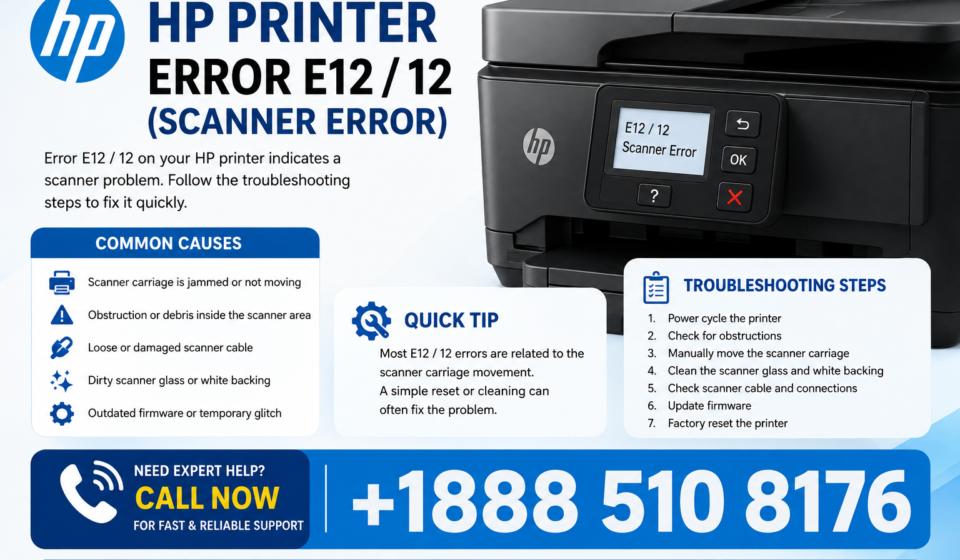
HP printer error E12 or 12 can appear when the printer detects a problem with its scanner mechanism. In many cases, the error is caused by a temporary hardware or startup issue, a scanner carriage that cannot move correctly, or an obstruction inside the scanning area. Fortunately, you can try several basic troubleshooting steps before seeking professional assistance.

Table of Contents

Toggle
  • What Does HP Printer Error E12 / 12 Mean?
  • How to Fix HP Printer Error E12 / 12
    • 1. Restart the Printer
    • 2. Check the Scanner Glass
    • 3. Check the Scanner Carriage
    • 4. Perform a Power Reset
    • 5. Check for a Paper or Foreign Object
    • 6. Update the Printer Software
    • What If the E12 Error Still Appears?
    • Final Thoughts

What Does HP Printer Error E12 / 12 Mean?

The E12/12 message generally indicates a scanner-related error. Your printer may be unable to initialize the scanner properly, which can prevent scanning and, on some models, affect normal printing functions as well. Because HP uses different error codes across its printer series, the exact meaning can vary by model.

How to Fix HP Printer Error E12 / 12

1. Restart the Printer

Turn off the printer using its power button. Unplug the power cable from the printer and the wall outlet. Wait about 60 seconds, reconnect the cable, and turn the printer on again. Allow it to complete its startup process before trying to scan.

2. Check the Scanner Glass

Lift the scanner lid and inspect the glass carefully. Remove paper scraps, dust, clips, labels, or other objects that could interfere with the scanner. Clean the glass gently with a soft, lint-free cloth.

3. Check the Scanner Carriage

If your model allows you to see the scanner mechanism, check whether anything is blocking its movement. Do not force the scanner carriage by hand, as doing so could damage the mechanism.

4. Perform a Power Reset

A power reset can clear temporary printer hardware errors. Disconnect the printer from power while it is turned on, wait for a minute, reconnect it directly to a wall outlet, and turn it back on.

5. Check for a Paper or Foreign Object

Open the printer and scanner areas and look for small pieces of paper or foreign objects. Even a tiny obstruction can sometimes prevent the scanner from completing its initialization.

6. Update the Printer Software

An outdated printer driver or firmware can sometimes contribute to communication and device problems. Check HP’s official support resources for the correct software and firmware for your exact printer model.

What If the E12 Error Still Appears?

If the E12/12 scanner error returns after restarting and checking the printer, the problem may involve the scanner motor, carriage, sensor, internal cable, or another hardware component. Avoid repeatedly forcing the scanner mechanism or opening internal components if you are not familiar with printer repair.

At that point, identify your exact HP printer model and error message and contact HP support or a qualified printer technician for model-specific assistance.

Final Thoughts

HP printer error E12/12 can be frustrating, but a simple power reset, scanner inspection, and removal of obstructions may resolve the problem. If the error remains after these steps, it is more likely to require professional diagnosis. Always use troubleshooting instructions appropriate for your specific HP printer model.

Tags:

HP Error CodesHP printer error E12Printer Troubleshooting
Author

Martin Mack

I’m Martin Mack, and I spend most of my time figuring out why printers don’t behave the way they should. Over the years, I’ve worked with different printer systems and troubleshooting tools, so I’ve seen the kind of issues people deal with every day. I started writing on Fix Printer Error to share fixes that actually work in real situations not just textbook solutions.

Follow Me
Other Articles
HP printer
Previous

HP Printer Not Printing Black Ink: Easy Fix Guide

No Comment! Be the first one.

Leave a Reply Cancel reply

You must be logged in to post a comment.

Talk to Expert

Call at +1888-510-8176

Recent Posts

  • How to Fix HP Printer Error E12 / 12 (Scanner Error)?
  • HP Printer Not Printing Black Ink: Easy Fix Guide
  • How to Fix HP Printer Error Code? Easy Troubleshooting Guide
  • HP Printer Error 0XC19A0003: Easy Fix Guide
  • How to Connect Canon Printer to WiFi Easily
  • How to Fix HP Printer Error 79: Step-by-Step Guide
  • HP Printer Offline Issue: A Complete Guide
  • How to Fix HP Printer Error Code 0x80
  • How to Fix Canon Printer Error Code E02?
  • How to Fix Printer Error Message
  • How to Fix Canon Printer Error 853?
  • How to Fix Epson Printer Error Code 000033
  • How To Fix Epson Printer Offline Issue
  • How To Fix HP Printer Offline Issue
  • How To Fix or Resolve HP Printer Error Oxc19a0013?

Categories

  • Canon Printer
  • Epson Printer
  • HP Printer
  • Printer Error

Recent Posts

  • HP Printer Error E12 / 12
    How to Fix HP Printer Error E12 / 12 (Scanner Error)?
    by Martin Mack
    August 24, 2026
  • HP OfficeJet Pro 8620
    How to Connect HP OfficeJet Pro 8620 to WiFi
    by Martin Mack
    June 19, 2026
  • Canon Printer Error 853
    How to Fix Printer Error 0x0000011B in Windows 11
    by Martin Mack
    June 19, 2026
  • HP Printer Error 0XC19A0003
    How To Fix HP Printer Error Code 0xc19a0022?
    by Martin Mack
    June 20, 2026

Search...

Technologies

Figma

Collaborate and design interfaces in real-time.

Notion

Organize, track, and collaborate on projects easily.

DaVinci Resolve 20

Professional video and graphic editing tool.

Illustrator

Create precise vector graphics and illustrations.

Photoshop

Professional image and graphic editing tool.

FIx Printer Error

At Fix Printer Error, our goal is to provide you with quick and working solutions to your printer issues every time you reach out to us. We are available 24/7 because printers can show errors at any time of the day. We are not related to any printer manufacturing company in any way.

  • Facebook
  • X
  • Instagram
  • LinkedIn

Latest Posts

  • HP Printer Offline Issue: A Complete Guide
    If you are seeing a printer network error or your… Read more: HP Printer Offline Issue: A Complete Guide
  • HP Printer Not Printing Black Ink: Easy Fix Guide
    If your HP printer not printing black ink has suddenly… Read more: HP Printer Not Printing Black Ink: Easy Fix Guide
  • HP Printer Error 0XC19A0003: Easy Fix Guide
    If your printer suddenly stops working and displays HP Printer… Read more: HP Printer Error 0XC19A0003: Easy Fix Guide

Pages

  • About
  • Contact
  • Terms and conditions

Contact

Phone

+1 888 510 8176

Email

info@fixprintererror.com

Location

New York, USA

Copyright 2026 — All rights reserved. Fix Printer Error